
Automatic capture
Everything you copy is saved on its own, the moment you copy it: text, rich text, images, files, colors and links. You just keep pressing ⌘C like always.
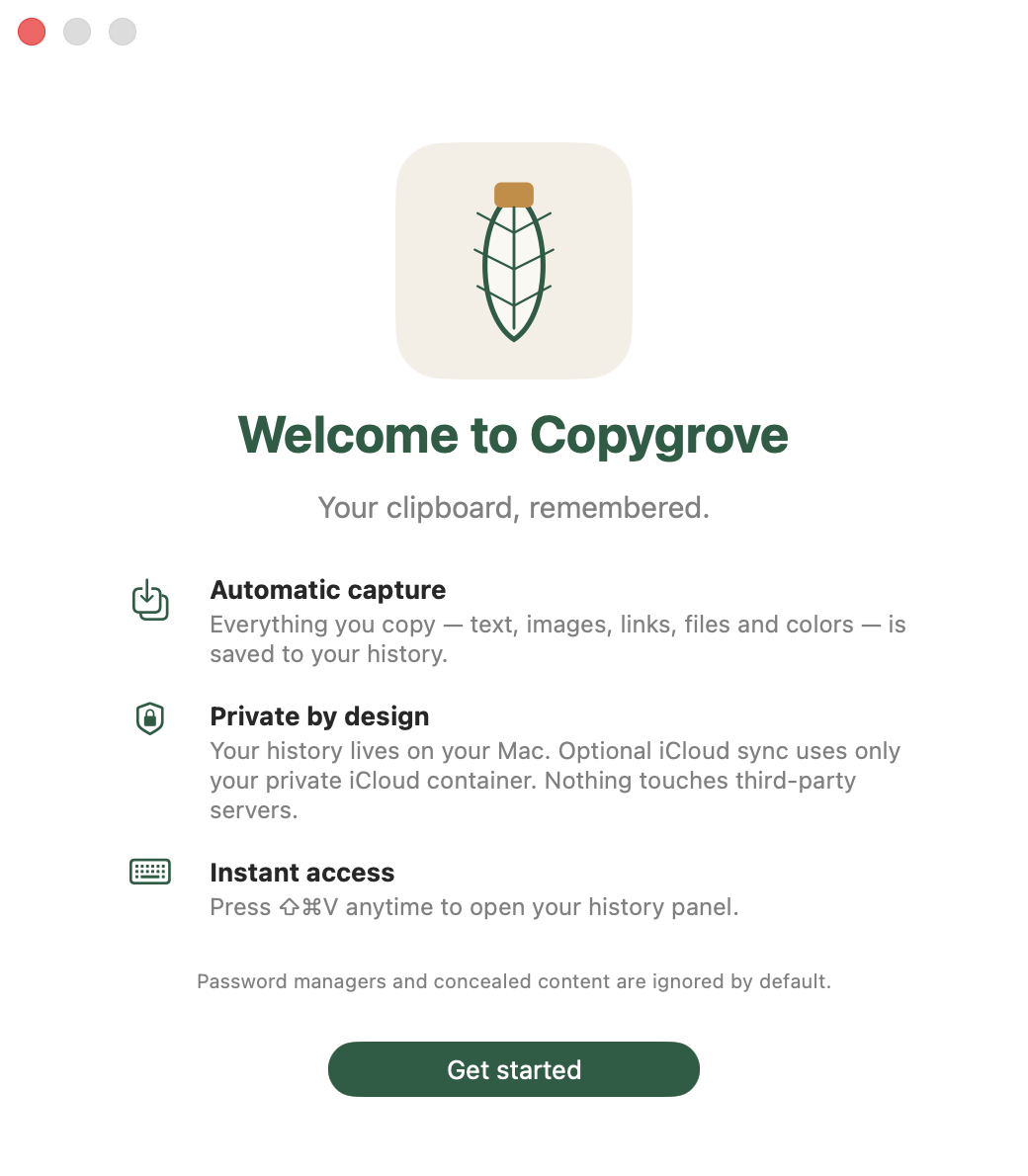
Copygrove saves everything you copy — text, images, links, files and colors — and hands it back in a panel that opens with ⇧⌘V. It lives on your Mac, syncs through your own private iCloud, and never touches a server of ours. Because we don't have one.
Main features
Copygrove does one thing, and does all of it: remember your clipboard. No extra tabs, no tutorials, no asking you to create an account.
Everything you copy is saved on its own, the moment you copy it: text, rich text, images, files, colors and links. You just keep pressing ⌘C like always.
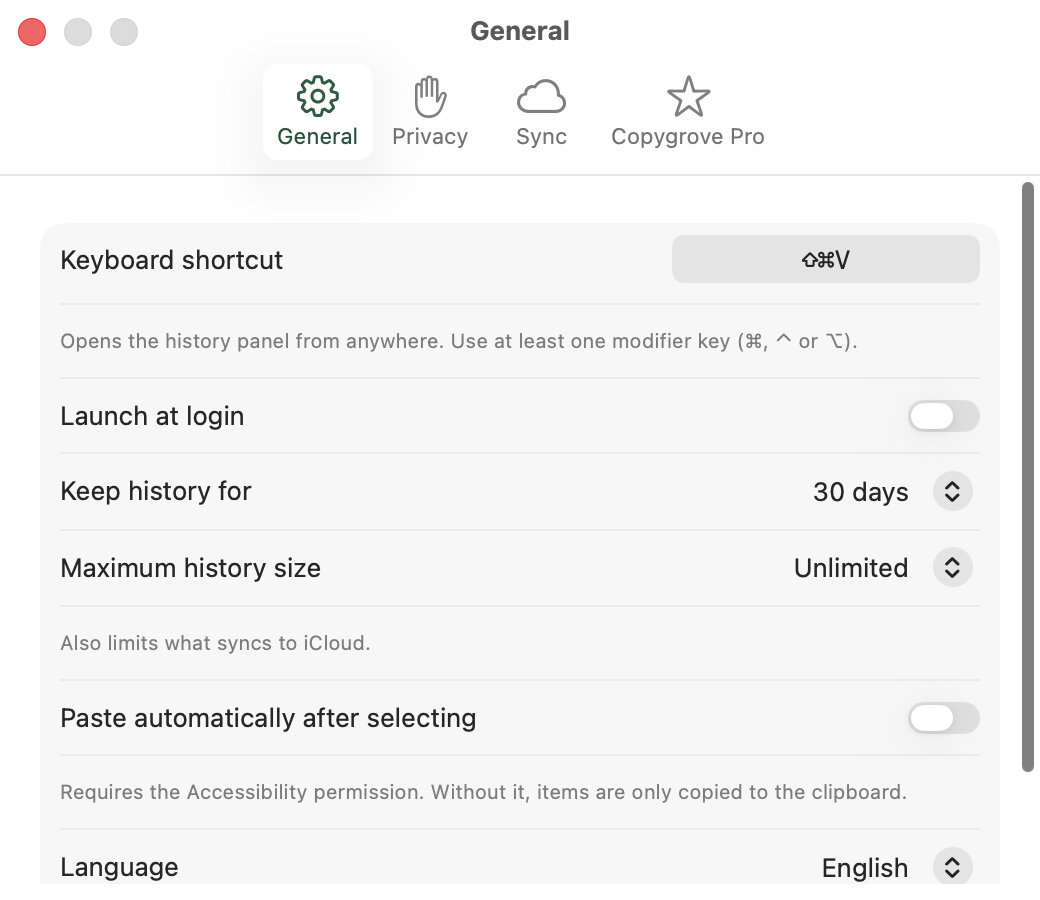
Press ⇧⌘V from any app and the panel appears over your work. The shortcut is configurable if you already have that one spoken for.
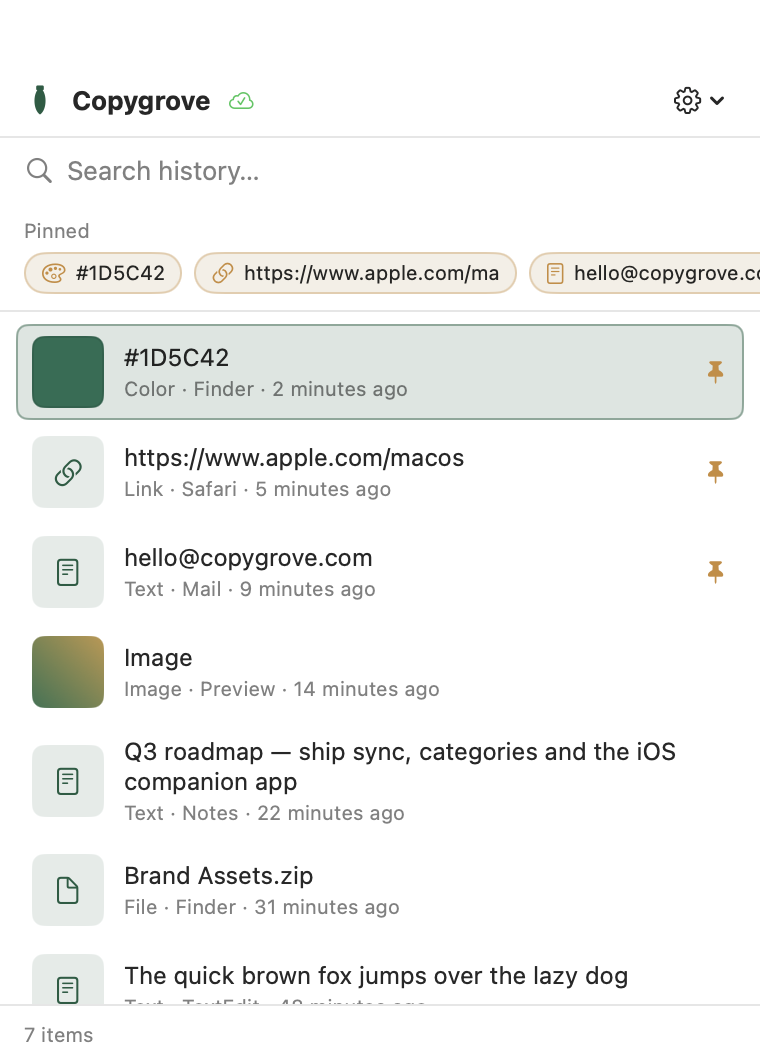
Start typing and the history filters as you go. Every clip shows its type, its source app and when you copied it, so you spot the right one at a glance.
Pin what you use all day — your signature, a brand hex, a link — to a quick strip above the history. Always one click away, never aged out.
Your history shows up on every Mac signed into the same iCloud account. No account to create, no server to trust: it uses your own private iCloud container.
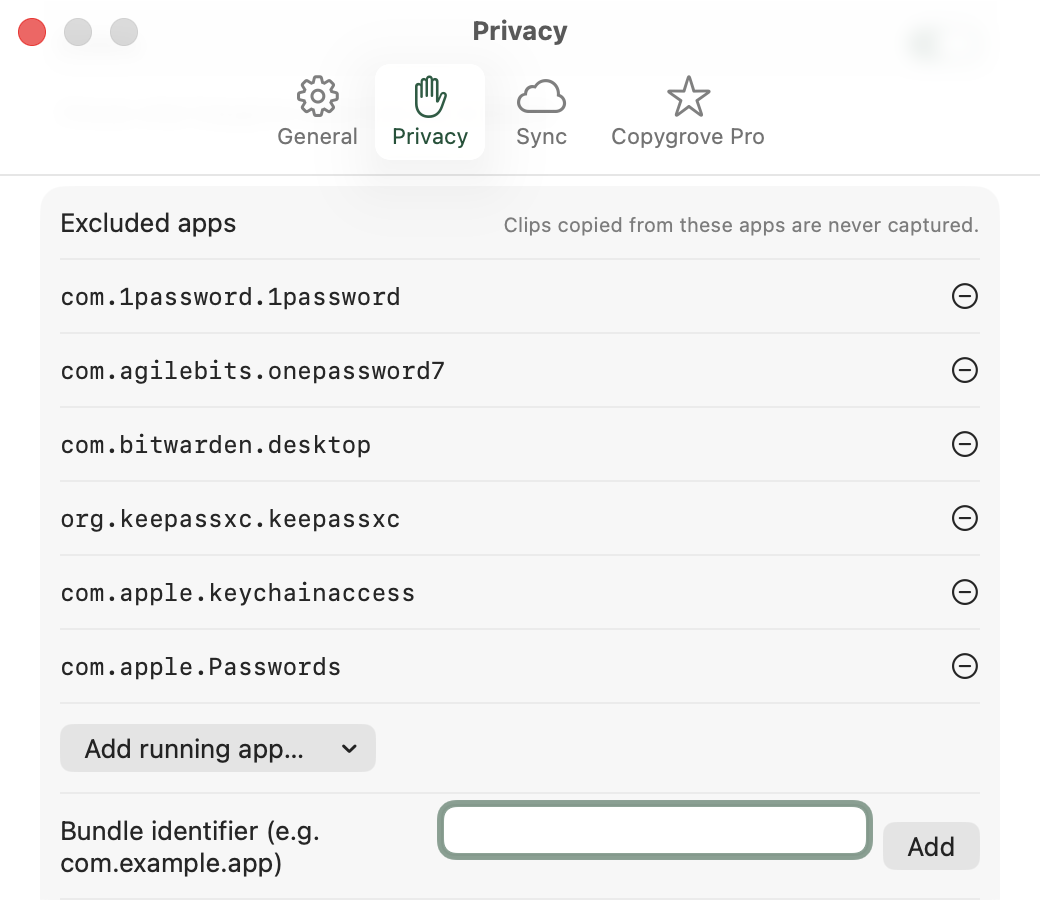
ProAnything you copy from 1Password, Bitwarden, KeePassXC, Keychain Access or Apple Passwords is never captured. The list ships ready, and you can add any other app.
Choose how long your history lives — 7, 30, 90 days or forever — and how many items to keep. The old stuff clears itself out, no reminders needed.
Click to copy again, or turn on paste automatically after selecting so the clip lands directly in the app you were already working in.
Light and dark mode inherited from the system, in English or Spanish. No odd windows, no interfaces that forgot they're on macOS.
A look inside
These are real Copygrove screens, not mockups. What you see here is what you install.
Privacy
Copygrove reads your Mac's clipboard — that is literally its job — and that's exactly why you're owed the full explanation, not a line buried in some terms. Here is everything that happens to your data.
App Store privacy label
Copygrove collects no data. There is no analytics, no telemetry, no third-party crash reporting and no advertising identifier. There is no Copygrove server to send anything to.
It's stored locally with SwiftData, inside the app's sandbox. If you never switch on iCloud, your clips never leave the machine. Not once.
Turn it on and syncing goes to your private CloudKit container, encrypted and tied to your Apple ID. We can't see it, query it or recover it.
Known password managers and content the system marks as concealed (org.nspasteboard.ConcealedType) are never captured. You can exclude any other app.
Remove a single clip, wipe the whole history, or set an automatic cleanup by age. What you delete disappears from your iCloud on the next sync too.
The app runs with App Sandbox on and doesn't need Accessibility to work. That permission is optional and only for paste automatically after selecting; without it, clips are copied to the clipboard and that's that.
Copygrove is built with zero external dependencies — Apple frameworks only. There's no outside SDK that could read your data or change its policy tomorrow.
Pricing
The free version isn't a trial on a countdown — use it as long as you like. Pro is bought once, not every month.
Free
$0 forever
Copygrove Pro
$9.99 one-time purchase
Before you install
We'd rather tell you here than let you find out after you've paid.
macOS 14 Sonoma or later, on Apple Silicon or Intel. Buying Pro covers every Mac signed into the same App Store account.
That's what the app does. It checks the contents each time you copy something, to save it to your local history. It doesn't read your keystrokes or the contents of your apps.
And a signed-in Apple ID. With iCloud off, Copygrove still works completely in local mode: sync is a bonus, not a requirement.
It's only requested if you turn on paste automatically after selecting. You can decline it and use the whole app; clips get copied to the clipboard and you paste with ⌘V.
Images and files are compressed before being stored, and heavy files are kept as a reference instead of being duplicated into your iCloud.
There's no sign-up, no automatic newsletter, no password to recover. If you hear from us, it's because you wrote first.
Support
Questions, bugs, ideas for the next version or privacy queries: it all lands in the same inbox, and a person reads it.
hello@copygrove.com